Video chat with your family — no matter what device they’re on.
One private room for your whole family. Tap a name and everyone’s phone, tablet, and computer rings at once. No accounts to juggle, no ads, no algorithm.
Free to set up · Works on any browser · Grandparent-friendly

Truly private
No ads, no algorithm, no data mining. Your family’s calls stay between your family.
Any device
Phone, tablet, or desktop — everyone joins from whatever they already have. Nothing to download.
Always there
One shared family room that never moves. No links to send, no meetings to schedule — just drop in.
A calmer way to call
Big names. One tap. Everyone rings.
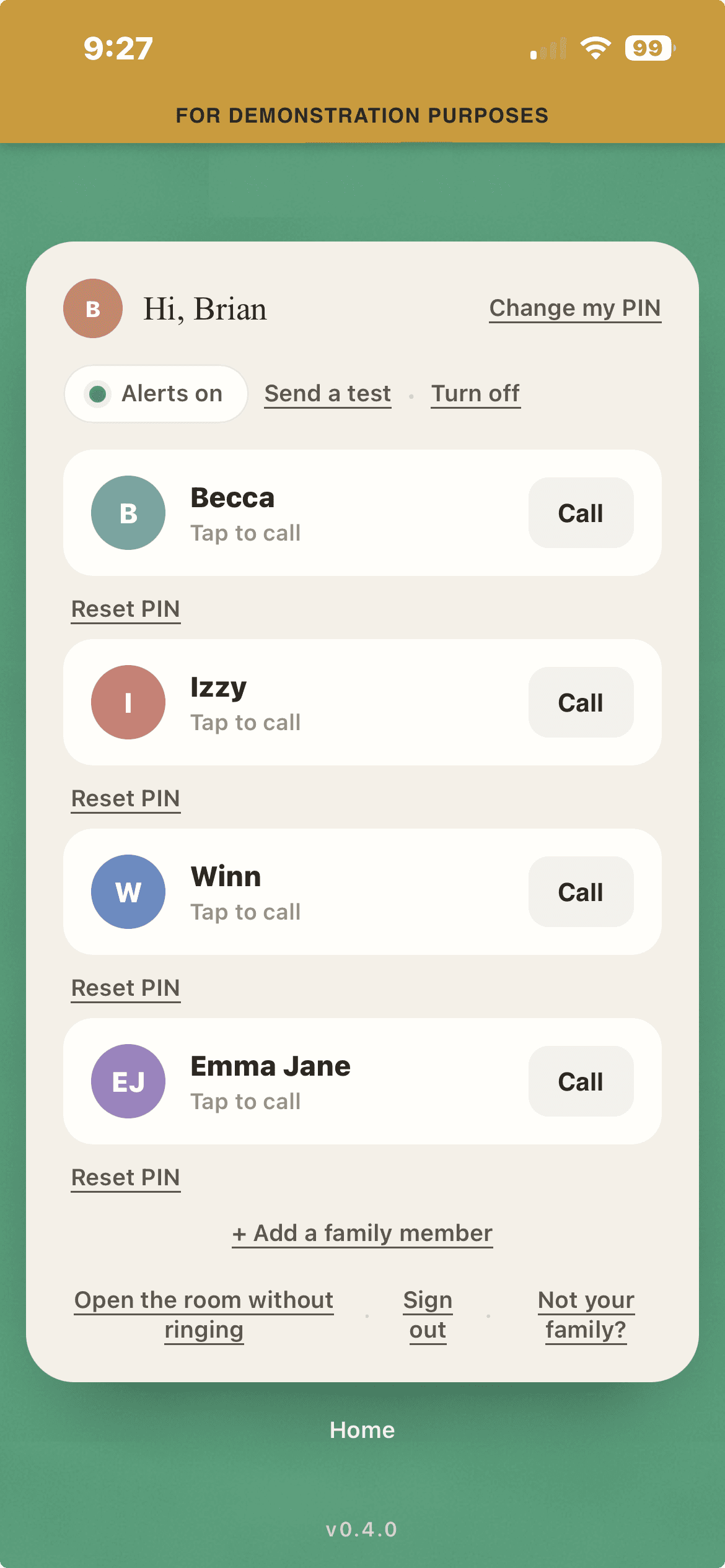
The home screen is just the people you love, in large friendly type. Tap a name and Callmata rings their phone by push and text — so nobody misses grandma calling.
- ✓Push & SMS alerts so calls never go unseen
- ✓See who’s in the room live, before you join
- ✓ Tap your name and PIN — no passwords

Up and running in three steps
Set it up once for the whole family. Then it just works.
Verify your phone
A quick text confirms it’s really you — no password to remember, ever.
Add your family
Name your family and add everyone who should be able to call in. They just tap their name.
Call anytime
Tap a name and everyone gets a ring — on the web, on any device, no install required.
Bring the whole family into one room.
It takes a few minutes to set up, and a lifetime of calls after that.
Set up your family